
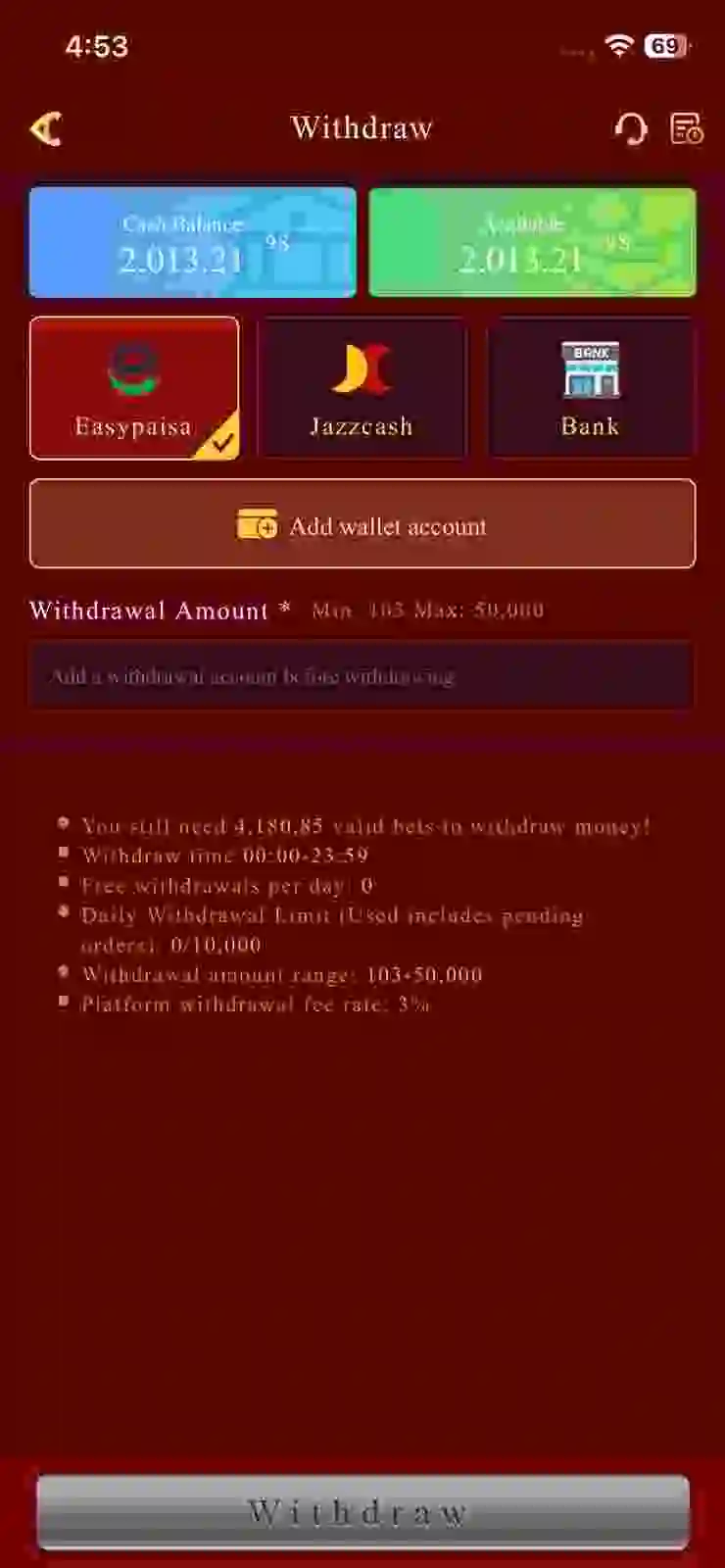
If you want to Withdraw your winnings from the Y71 Game with simple steps, then you have to read this guide carefully. The Game provides a Pakistan local wallet like Easy Paisa, Jazz Cash, and also bank transfer, with a quick withdrawal transfer in your account within 10 to 30 minutes. Moreover, the Y71 game also take 3% fee on every withdrawal.
Requirements for withdrawal:
- Must verify your number.
- Link your Gmail to the game. (optional)
- Ensure the payment method details are correct.
- Use the app with a stable internet connection.
Steps to withdraw money on Y71?
- First, open the app and log in to your account.
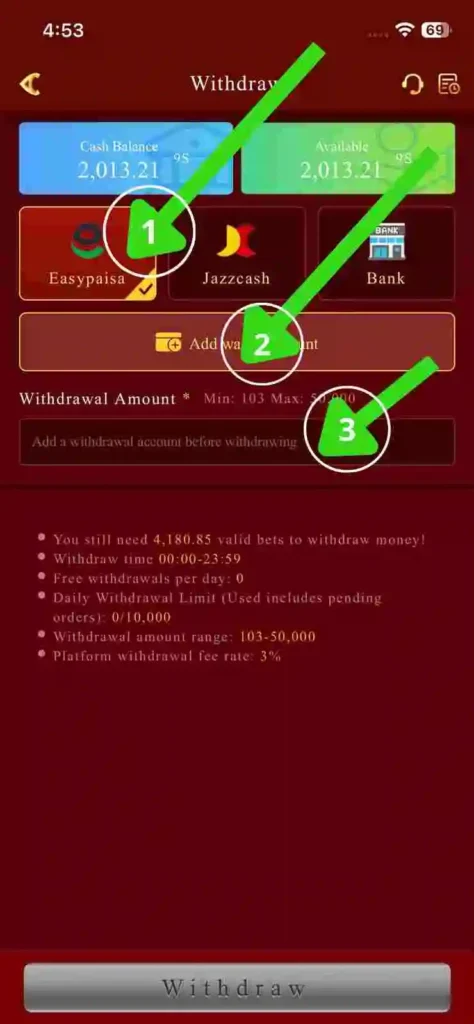
- Then, tap on the wallet section on the side menu, then select the withdrawal option.
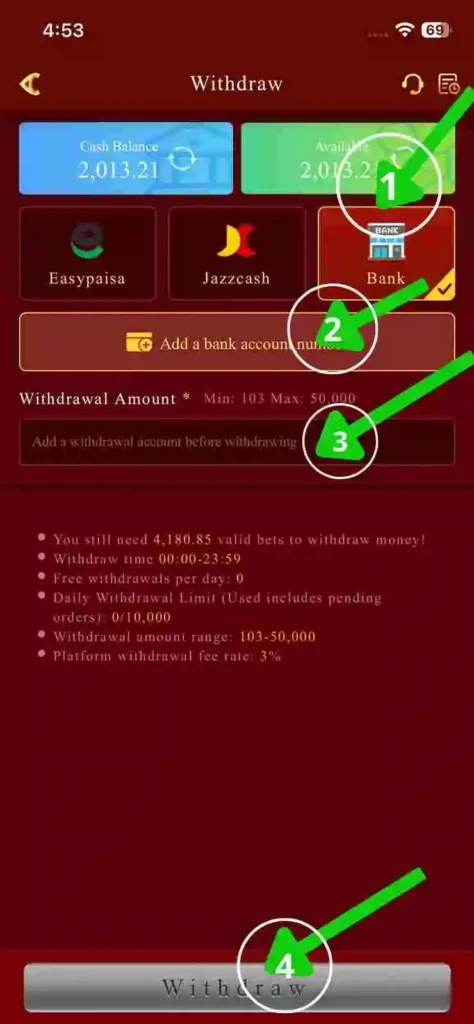
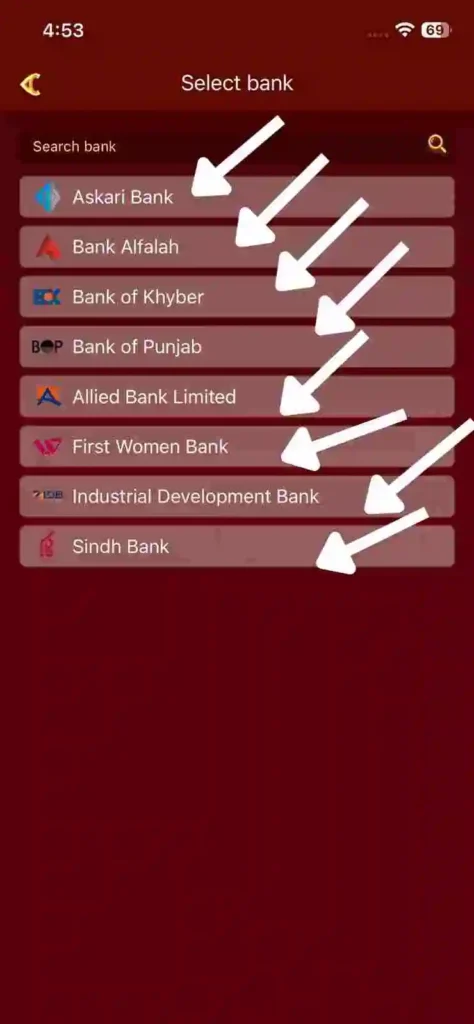
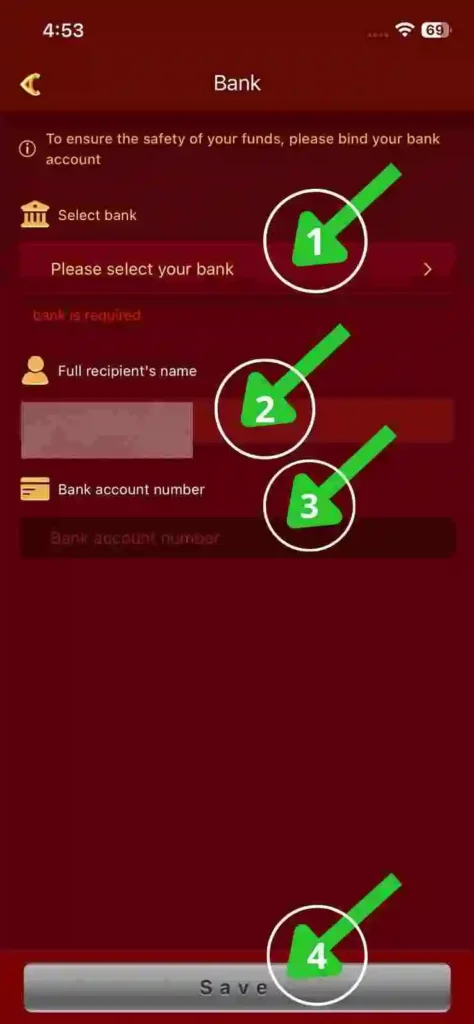
- Then choose a local option like EasyPay, JazzCash, or bank transfer.
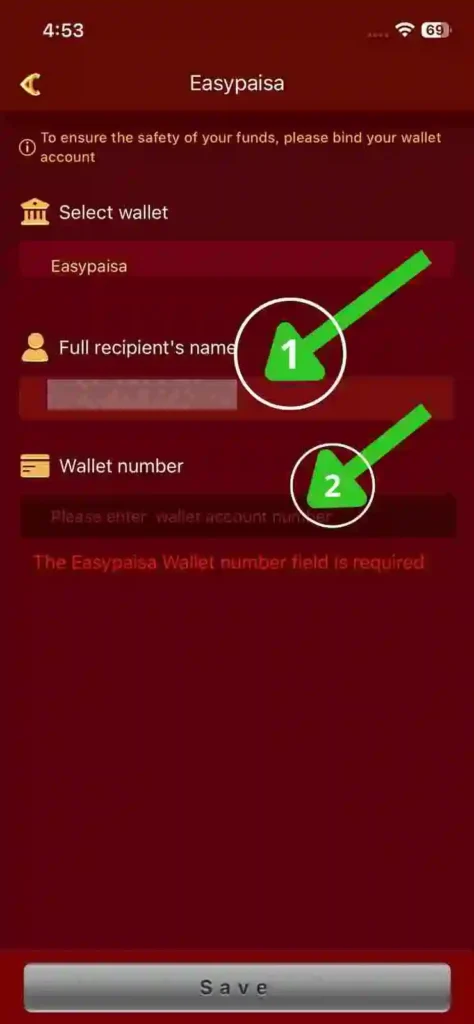
- After that, enter your wallet number, real name, and CNIC number.
- Type the amount you want to withdraw if you’re in the vip 1, then you can withdraw only 1000 PKR daily, and if you increase your VIP level, then you will increase your withdrawal limit.
- Then click the required withdrawal, so the amount will be received in your account within 10 to 30 Minutes.
ScreenShots:

Common problems and their solutions:
Withdraw reject:
Then you have to check that your information is correct. After that, check the wager you need to complete.
Withdrawal is not approved for a long time:
In this case, you have to contact the customer support, they will set you up.
Conclusion:
Y71 Game provides a simple and easy-to-use system for its users, so there is no need for any additional knowledge to use the app. Moreover, players can cash out their money through their bank accounts, easypaisa, and JazzCash. After that, if you have any issues, just take a screenshot and contact customer support.